AS: Upsell & Cross Sell
Shopify App
Increase revenue & AOV with flexible Cart Page, Cart Drawer & Product Page upsells and cross sells
Add fast, targeted & highly customizable offers across your store — with accurate real-time attribution analytics.
Calculator
Estimate your upside
Quickly sanity-check ROI before installing.
Sanity-check your ROI
Move the slider to estimate your monthly extra revenue, then compare it to the app’s pricing tier for that revenue level.
Optional: enter profit margin to switch from revenue return (ROAS-style) to profit-based ROI.
Product, cart & drawer offers that don’t get in the way
A fast, native-feeling upsell & cross-sell experience with flexible controls, styling, triggers, and analytics.
Offers that feel native on product, cart & drawer
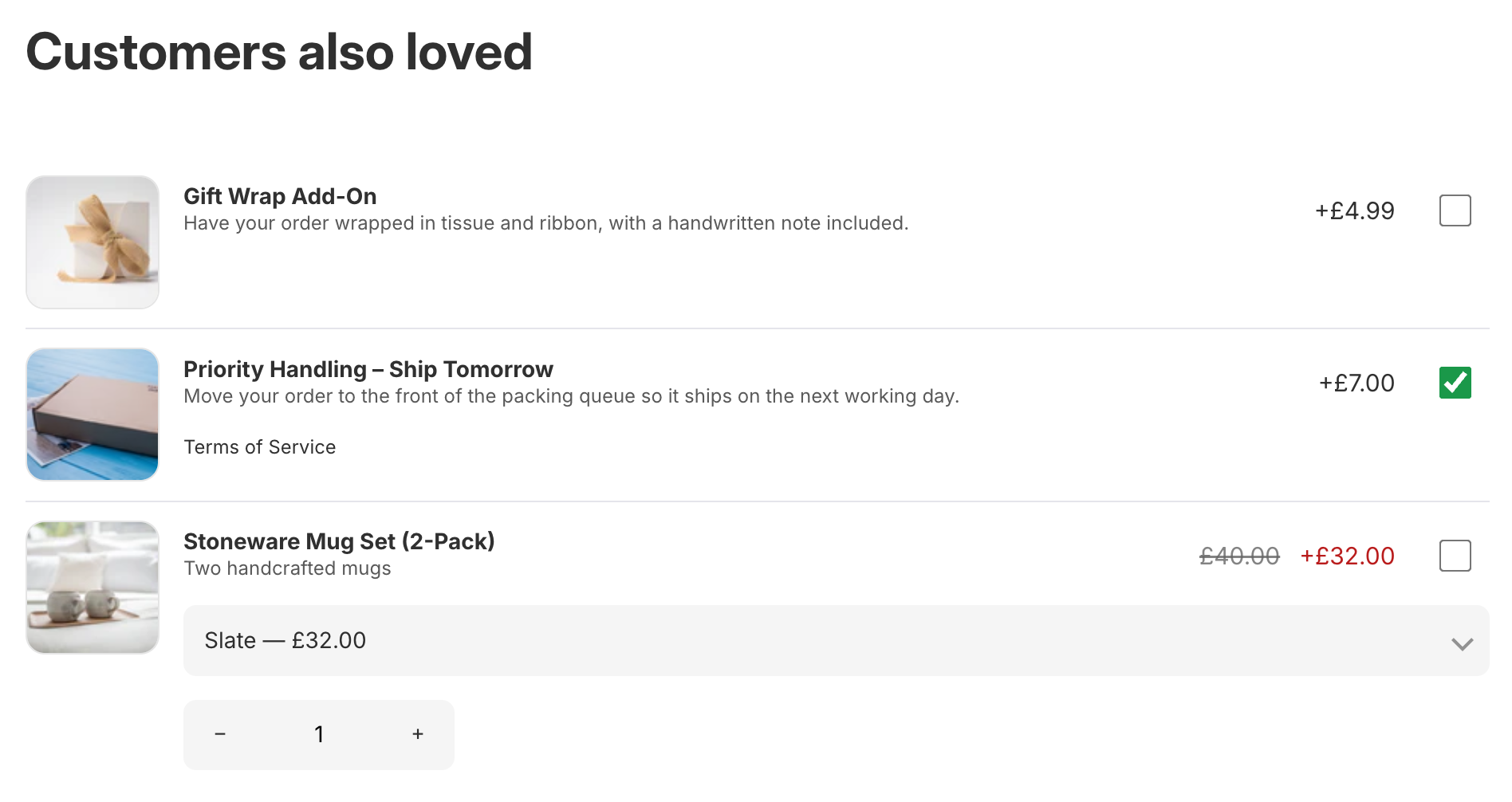
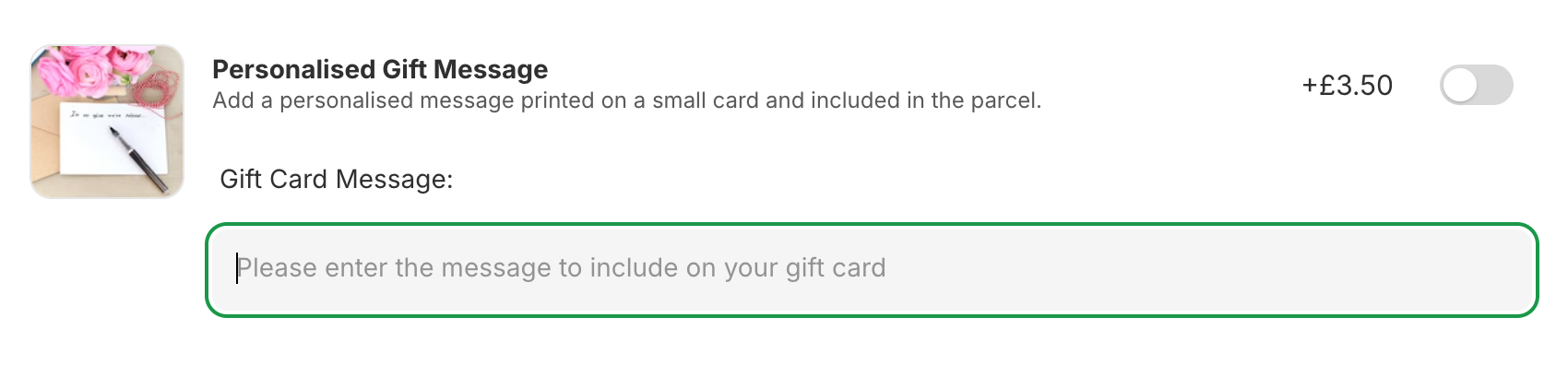
Upsell or Cross Sell offers work best when they’re relevant and frictionless. Add offers to the product page, cart page, and cart drawer using checkbox/toggle/button-style add-ons (depending on your needs), with simple trigger rules and attribution analytics.
- Product page, cart page, and cart drawer offers
- Checkbox, toggle, or button controls
- Trigger rules + real-time attribution analytics
- No-code custom styling

Overview
Built for quick wins at the highest-intent moments
Offer relevant add-ons when customers are deciding (product page) and when they’re ready to buy (cart and drawer) — without disrupting checkout.
AS: Upsell & Cross Sell helps Shopify merchants add targeted add-ons, upsells, and cross-sells across the product page, cart page, and cart drawer. Use checkbox/toggle/button-style offers, control visibility with trigger rules, and measure performance with real-time attribution analytics.
How it works
Set it up in minutes
Install, add the App Block or enable App Embed for any surface you want to offer on, then create offers and start tracking results.
-
1InstallInstall from the Shopify App Store and approve required permissions.
-
2Add App Blocks or enable App EmbedsAdd the App Block(s) or enable App Embed(s) in your theme and save your changes.
-
3Create offersEasily configure offers for any surface (Product Page, Cart Page or Cart Drawer) with optional trigger rules and track performance.
-
4Any issues?Contact support@augmentumstudios.com or use the Live chat feature in your Admin Dashboard.
Features
Everything you need for product & cart upsells
Run add-ons, cross-sells, and upsells on product pages, cart page, and cart drawer — with flexible rules and attribution.
Where it shows
- Product page add-ons & cross-sells
- Cart page upsells
- Cart drawer offers
Offer UI controls
- Checkbox, toggle, or button-style add-ons
- Variant dropdown selector (where applicable)
- Quantity control with limits
- Custom Links
Rules & triggers
- Trigger offer visibility by product, collection, or tag (Cart or Product Page)
Styling & localization
- No-code styling
- Custom CSS (optional)
- Multi-language / translations
Analytics & attribution
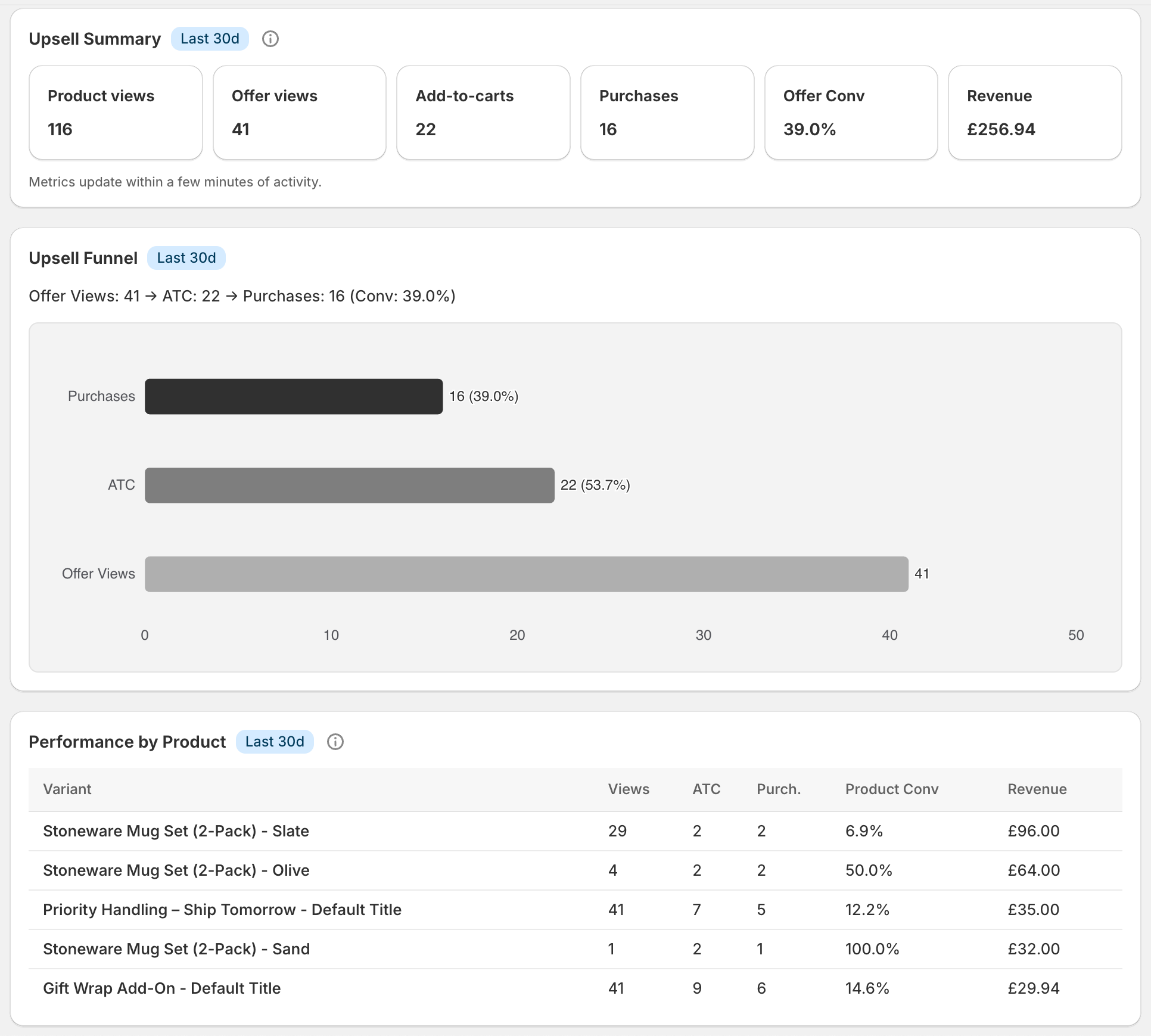
- Funnel: views → add-to-cart → purchase
- Attributed purchases & additional revenue
- Per-offer breakdown
Advanced setups
- Up to 4 blocks inside one offer (Cart Page and Product Page)
- Up to 2 blocks inside one offer (Cart Drawer)
- Hide out-of-stock items or items that are already in cart
Triggers / Targeting
Flexible trigger rules
Keep offers relevant, reduce noise, and increase conversion.
Show the right offer to the right cart or on desired product page
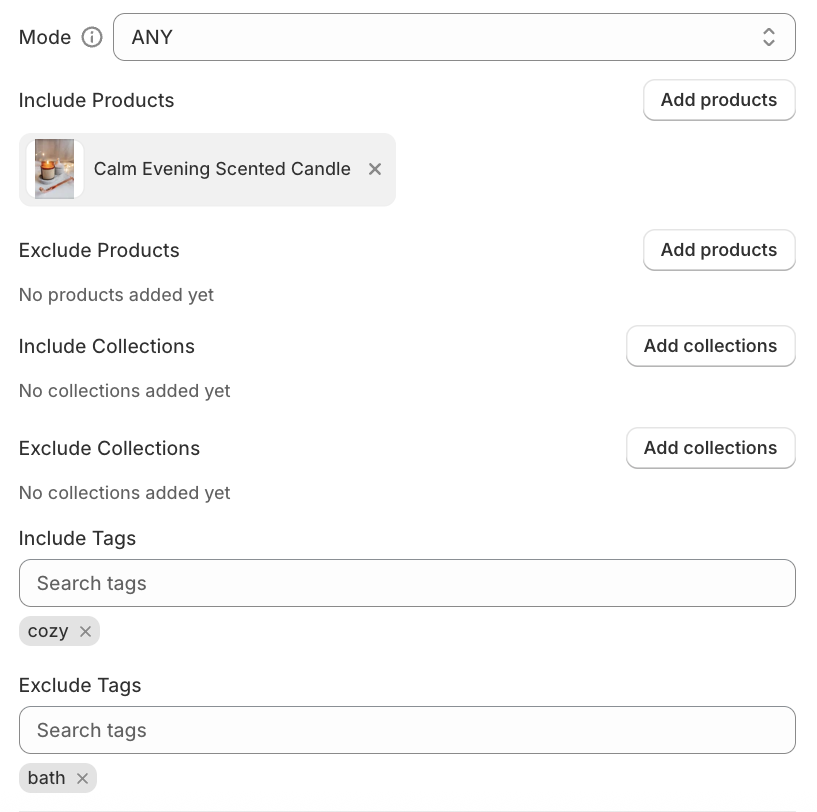
Use simple-to-use trigger rules to control offer visibility by product, collection, or tag — so you can keep offers relevant.
- Product / collection / tag targeting
- Simple to setup
- Cart Page & Cart Drawer: trigger by items in cart
- Product Page: trigger by main product
Analytics
Attribution you can trust
Understand impact, iterate based on real outcomes and improve your offers conversion.
See what’s working
Track views, add-to-carts, purchases, and attributed revenue for each offer.
- Funnel: views → add-to-cart → purchase
- Per-offer breakdown
- Custom date range
- Updates in real-time
FAQ
Questions, answered
Everything you need to know before you install.
How long does setup take?
Will this slow down my store?
Does it support targeting/triggers?
What analytics do I get?
How does pricing work?
How do I get support?
Trust
Built for merchants who care about outcomes
Clear pricing, clear data practices, and direct support.
Security & privacy
We only request Shopify scopes needed for the app to function and follow Shopify’s requirements for app privacy and data handling.
Transparent pricing
Free tier available, with no restriction on features. Paid plans start from $3.99/mo with a 14-day trial, billed through Shopify (usage-based on revenue generated via offers).
Start selling for free with no limit on features
Install from the Shopify App Store and have your first offer live in minutes.
Legal
For legal details, please see our Privacy Policy & Terms of Use.